Spring til indhold
Menu

Artikler

Lav custom actions i Power Automate Desktop - avanceret tutorial

Sådan laver du custom C#-actions i Power Automate Desktop: skriv koden i Visual Studio, signér med certifikat og brug din egen action i dine flows.

Anders Jensen Automatiserings- og AI-instruktør

C#-kode til at tjekke om en dato er en helligdag

Kopiér koden til Visual Studio.

namespace Modules.DanishBankHolidays
{
    [Action(Id = "IsBankHoliday")]  // All classes representing actions must have an Action attribute specified above
    public class IsDanishBankHoliday : ActionBase // Likewise, all classes representing actions must be public and inherit from the ActionBase class
    {
        // Input and output parameters for our action are specified as classic C# properties. However, they must have an attribute above that indicates whether they are input or output parameters
        [InputArgument]
        public DateTime DateToCheck { get; set; }

        [OutputArgument]
        public bool IsBankHoliday { get; set; }

        public override void Execute(ActionContext context) // In this method, we will write the actual code we want to execute. It should be defined this way
        {

            // I've cheated a bit from home and have made the code to calculate Easter Sunday in advance - and yes, you're right. I asked ChatGPT to write the code for me.
            int a = DateToCheck.Year % 19;
            int b = DateToCheck.Year / 100;
            int c = DateToCheck.Year % 100;
            int d = (int)(b / 4);
            int e = b % 4;
            int f = (int)((b + 8) / 25);
            int g = (int)((b - f + 1) / 3);
            int h = (19 * a + b - d - g + 15) % 30;
            int i = (int)(c / 4);
            int k = c % 4;
            int l = (32 + 2 * e + 2 * i - h - k) % 7;
            int m = (int)((a + 11 * h + 22 * l) / 451);
            int month = (int)((h + l - 7 * m + 114) / 31);
            int day = ((h + l - 7 * m + 114) % 31 + 1);
            DateTime easter = new DateTime(DateToCheck.Year, month, day);

            // Now we can check if the given day is a public holiday. I've cheated a bit again and defined the list of holidays from home
            if (DateToCheck.Day == 01 && DateToCheck.Month == 01   // New Year's Day
                || DateToCheck.Day == 24 && DateToCheck.Month == 12   // Christmas Eve
                || DateToCheck.Day == 25 && DateToCheck.Month == 12   // Christmas Day
                || DateToCheck.Day == 26 && DateToCheck.Month == 12   // Boxing Day
                || DateToCheck.Day == 31 && DateToCheck.Month == 12   // New Year's Eve
                || DateToCheck == easter                       // Easter Sunday
                || DateToCheck == easter.AddDays(-3)           // Maundy Thursday
                || DateToCheck == easter.AddDays(-2)           // Good Friday
                || DateToCheck == easter.AddDays(+1)           // Easter Monday
                || DateToCheck == easter.AddDays(+39)          // Ascension Day
                || DateToCheck == easter.AddDays(+40)          // Bank holiday after Ascension Day
                || DateToCheck == easter.AddDays(+49)          // Pentecost
                || DateToCheck == easter.AddDays(+50)          // Whit Monday
                || DateToCheck.Day == 05 && DateToCheck.Month == 06 // Constitution Day
                )
            {
                IsBankHoliday = true;
            } else
            {
                IsBankHoliday = false;
            }
        }
    }
}

Ressourcer

Download de ressourcer, du skal bruge til at oprette et certifikat og komprimere DLL-filerne: Download
Kommentarer (8)

  1. Mikkel Pedersen

    Tak!

    Maskinoversat fra engelsk · Vis original

    Thank you!

    1. Anders Jensen Forfatter

      🙌

  2. Rabie BOULAL

    Hej Andres. Jeg oplever et problem, når jeg tilføjer actionen i PAD. Selvom jeg har fulgt instruktionerne til punkt og prikke, får jeg dette problem, som forhindrer mig i at fortsætte. Har du en idé til en mulig løsning? No custom actions group was found. Please check the naming and development conventions are followed correctly and try again.

    Maskinoversat fra engelsk · Vis original

    Hello Andres, I'm encountering an issue when adding the action in PAD. Despite following the instructions to the letter, I'm facing this problem that's stopping me from proceeding. Do you have any idea what might be the solution? No custom actions group was found. Please check the naming and development conventions are followed correctly and try again.

    1. Anders Jensen Forfatter

      Hej Rabbie, tak for din feedback 🙂 Signerede du DLL-filerne, CAB-komprimerede releasen og signerede CAB-komprimeringen? Er du i det samme environment, som du publicerede til? Venlig hilsen Anders

      Maskinoversat fra engelsk · Vis original

      Hey Rabbie, thanks for the the feedback 🙂 Did you sign the DLLs, cab compress the release, and sign the cap compress? Are you in the same environment as you published to? Kind regards, Anders

  3. Arun

    Hej Anders. Det var en stor hjælp, da jeg byggede min første custom action. Selvom jeg fulgte præcis de samme trin, får jeg konsekvent fejlen "failed to initialize module loader", når jeg prøver at tilføje den custom action i mit Power Automate Desktop-flow. Har du nogle tanker eller forslag, der kan hjælpe med at løse fejlen? På forhånd tak.

    Maskinoversat fra engelsk · Vis original

    Hi Anders, this was so helpful building my first custom action, however, though I followed the same exact steps, I have been consistently getting the error - "failed to initialize module loader" while I try to add the custom action in the Power Automate Desktop project flow. Any thoughts or suggestions to help fix this error will be greatly helpful. Thanks in advance.

    1. Anders Jensen Forfatter

      Tak, fordi du skriver 😊 Jeg får mere end 50 beskeder om dagen. Selvom jeg læser dem alle, kan jeg ikke svare alle 😔 Men jeg har oprettet et RPA/Automation-community, hvor vi er mere end 14.000 RPA Developers, som hjælper hinanden med løsninger og karriere. Det er gratis, og du finder det her: https://discord.gg/iloveautomation Venlig hilsen Anders

      Maskinoversat fra engelsk · Vis original

      Thanks for writing 😊 I'm getting more than 50 messages daily. While I read all of them, I can’t reply to everyone 😔 But I’ve created an RPA/Automation community where we’re 14,000+ RPA Developers helping each other with solutions and our careers. It’s free, and you can find it here: https://discord.gg/iloveautomation Kind regards, Anders

  4. Grizz

    Hej Anders. Hvis jeg opdaterer koden til min custom action efter publicering af CAB-filen, skal jeg så signere alle DLL-filerne igen, før jeg publicerer den nye CAB-fil?

    Maskinoversat fra engelsk · Vis original

    Hi Anders, If I update my custom action code after publishing the CAB file. Do I need to re-sign all of the DLL files again before publishing the new CAB file?

    1. Anders Jensen Forfatter

      Ja 😊🙌 Venlig hilsen Anders

      Maskinoversat fra engelsk · Vis original

      Yes 😊🙌 Kind regards, Anders

Skriv en kommentar

Dit navn og din kommentar vises offentligt efter godkendelse. Din e-mail vises ikke. Læs mere i privatlivspolitikken. Efter godkendelse kan kommentaren maskinoversættes til den anden sprogversion. Du kan altid se originalen.

Flere artikler

  • Byg din første agent i det nye Copilot Studio

    Trin for trin: Byg en HR-agent i det nye Copilot Studio med instruktioner, knowledge og en skill, test den i Preview, og publicér den til Teams. Med video.

    Læs mere →
  • Copilot Studio priser 2026: Credits forklaret + beregner

    Se hvad dine Copilot Studio-agenter koster om måneden. Gratis credit-beregner (estimator) med korrekt licensregning, capacity packs og den nye GitHub Copilot-harness.

    Læs mere →
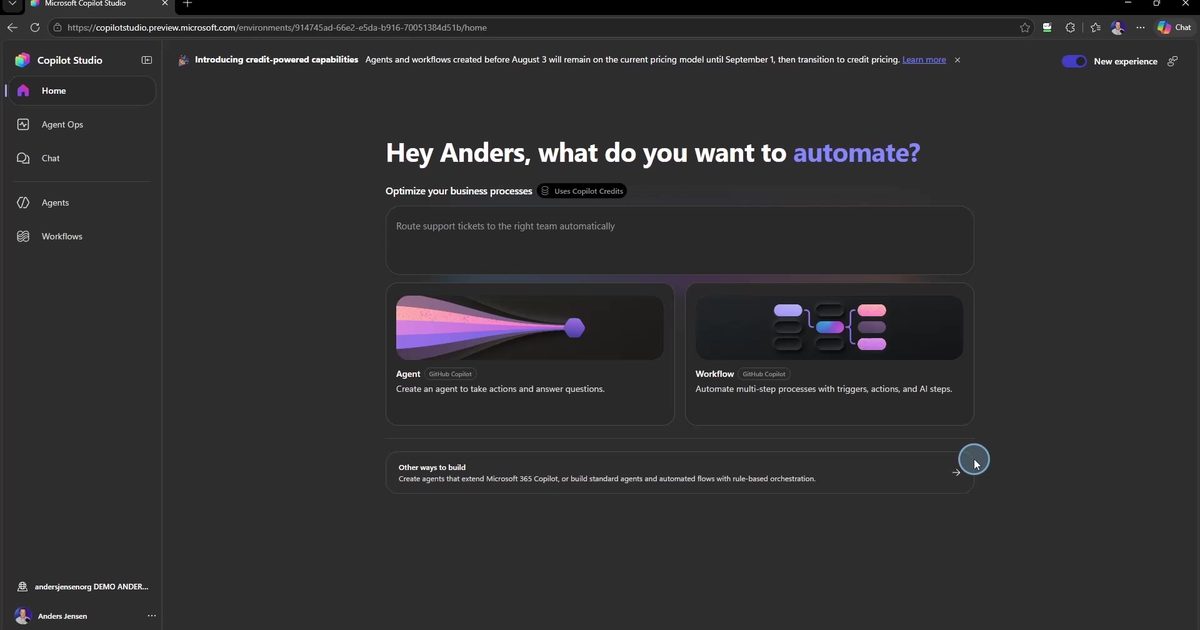
  • Det nye Copilot Studio forklaret (GitHub Copilot-harness)

    Copilot Studio har fået en ny standardoplevelse på GitHub Copilot-harnesset. Se hvad der er ændret, hvad et harness er, og de tre ting du skal vide, før du bygger.

    Læs mere →